Ask for changes to your web app & try them as they happen.
npx toyon
On your machine
cd your-project
npx toyon
macOS and Linux. Needs Node 18 or newer and an account for the agent you pick; the README has the rest.
On your own server
Keep it running when your laptop is closed: deploy it to your own Fly account, or run it on a box of your own behind Tailscale and open it from your phone. Your code and keys never pass through a Toyon server.
How it works
-
Ask, and watch it change
Say what you want, or point at the thing on the page. The app updates while the agent works; steer it mid-way, or fix the small thing yourself.
-
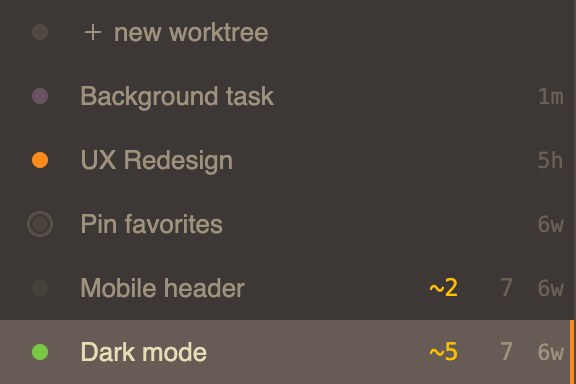
Know where every chat stands
Every chat gets its own copy of your project with the app running. The dot beside each says where it stands: green with the app up, purple while a task it started still runs in the background, orange when it is waiting on you. The counts say what each one changed.
-
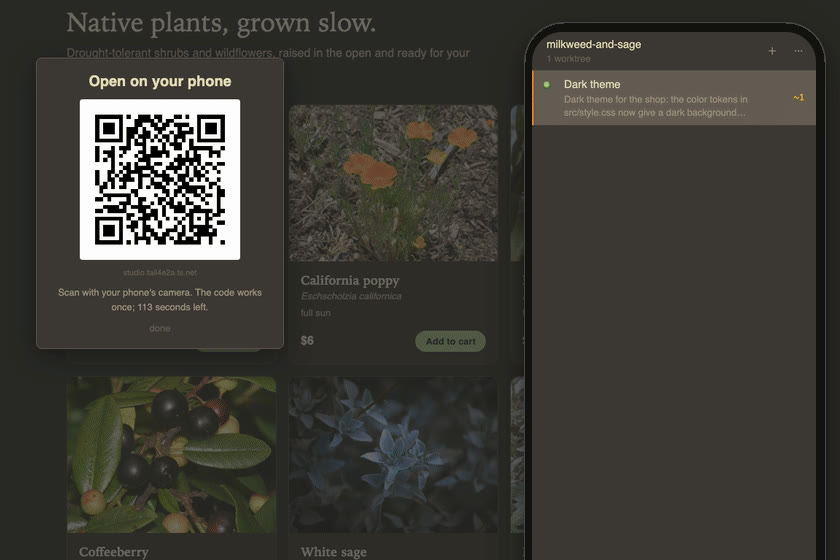
From your phone
Pair your phone from the top bar. Start a chat from it, steer one that is running, or check the copy on a real phone screen.

